DevBlog #1
Hello, L2Ertheia Community! We’re excited to share some updates on our development progress. We won’t be sharing every possible detail or all the content that will be available at launch, this is not the purpose of these blogs. In our first DevBlog, we’ll focus on client-related features, as this is your primary gateway to the Lineage 2 world.
Before we dive into our development stories, we want to let you know that we sometimes use live server characters for testing different scenarios. In short, working with real data gives us far better insights than trying to simulate everything with fake data.
So don’t be surprised if your characters become famous in these blogs, we’re using them as our little “actors.” Hehehe! 😄
Players might remember that our client has received a number of quality-of-life improvements, including modernized client windows for character status, target, and party, as well as useful features such as play reports, warehouse search, drop calculator, party ready check, force attack mode and much more.
Party Check + Countdown
When the player is the party leader, special interface buttons will appear. These buttons are integrated with the Party Ready Check system, allowing for better coordination and control within the party.
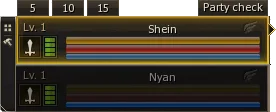
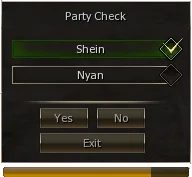
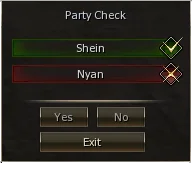
The Party Leader has access to special control buttons within the party interface, used for the Party Ready Check feature.
When the leader initiates a Ready Check, a confirmation window appears for all party members. Each member has a few seconds to respond by selecting Yes or No.
If a member does not respond within the given time, they are automatically marked as not ready.
Target Window
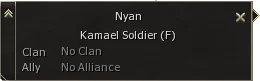
Client target window will now provide more informations about the target. Player can see the class of character target and also live or dead status. Upon targeting an monster it will provide access to drop calculator, wiki or show information about the monster level and also live or dead status.
Warehouse Search
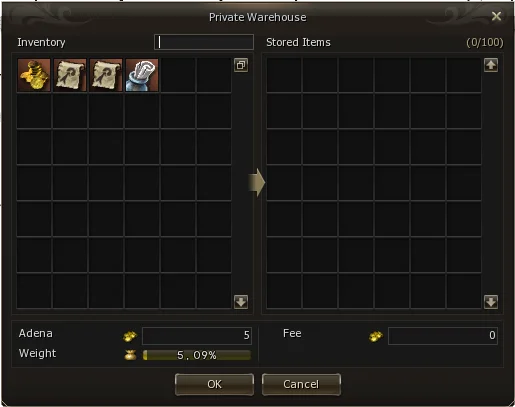
Player will be now able to search through their private warehouse or clan warehouse via search box function in the client interface.
Drop Calculator
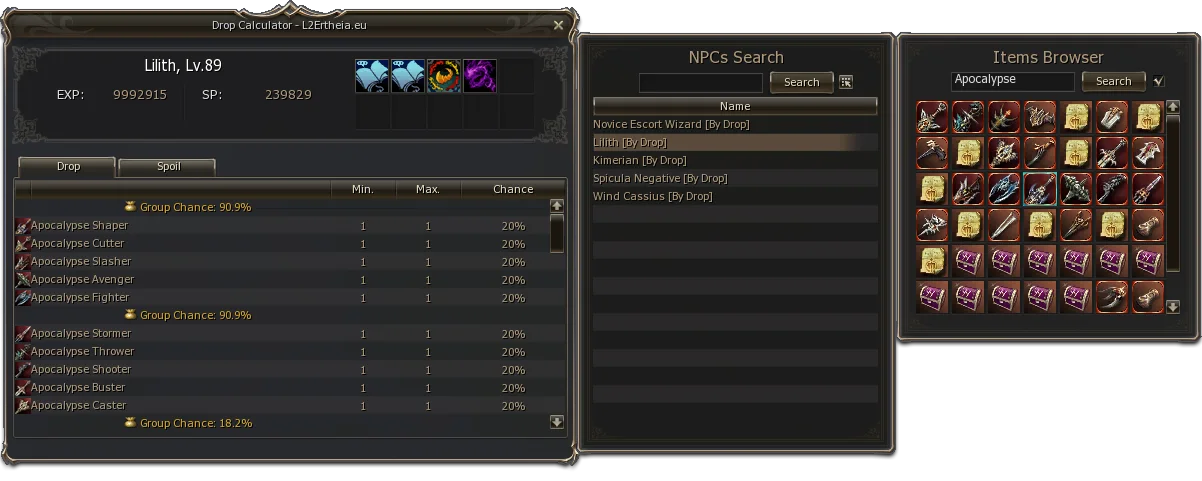
Our server includes a built-in In-Game Droplist system for convenient item lookup.
By clicking the bag icon in the target window, players can view detailed information about the selected NPC, including its drop and spoil lists.
All displayed values automatically reflect the current server rates.
Additionally, players can search for drop or spoil information directly through the interface shortcut (ALT+X).
Play Report
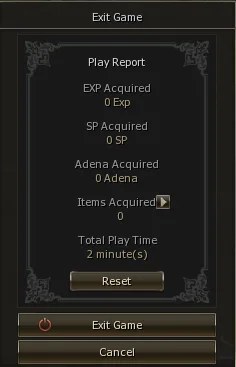
Information about the player progress has been added upon restart or exit of game client. It will provide information about acquired XP, SP, Adena, items and character play time of current session.
Since the client is your best companion for playing Lineage 2, we continue to improve it to deliver a more stable and enjoyable experience, addressing the well-known issues with older client versions. But enough about the past, let’s move on and show you something new, which will be available with the upcoming server launch.
Experience Block Toogle - ON/OFF
We’ve listened to player feedback and added the ability to block incoming experience points. This feature can help players focus on content with lower-level characters and makes it easier to collect materials and progress on their journey.
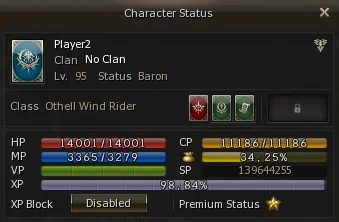
This feature is available through the character status interface. Experience gain can be easily blocked or re-enabled with the press of a button.
Party Matching Room - Sharing
One of the most challenging aspects of Lineage 2 is finding players to join you on your adventures and assist with specific tasks. We asked ourselves how we could make this easier for casual players, helping them find and invite potential teammates for their parties more efficiently.
We took inspiration from other MMORPGs and introduced the ability to share your Party Matching Room directly in the game chat. You might think this feature sounds unnecessary, but consider it from a casual player’s perspective. It can actually make a big difference! So, how does it work? Don’t worry! It’s time to show you.

You no longer need to shout in chat or spam messages just to get someone’s attention as an party leader. Just press the "Party Share" button from the party matching room and it will automatically send message in to the special party room chat with invitation link "?", which will lead directly into your party room 💪

This simple solution allows players to easily join any party through the existing Party Matching system and it works seamlessly, whether you’re using the English or Russian localization of the game client.
Party Window
Sometimes you might wonder whether your party members are using a Premium Rune to boost party drop bonuses. Well... you don’t have to ask anymore!
The party member status window will now display an indicator icon showing whether our exclusive Premium Runes are active on a character.
And that’s not all, it will even show which version they’re using. (Sneak peek! 👀)

The Party Interface has been completely reworked to feature a modern design. It now displays detailed information for each party member, including:
- Class
- Vitality
- Level
- Noblesse status
- Premium Status
Additional visual enhancements include:
- A yellow border highlighting the currently selected party member.
- A grey overlay indicating party members who are dead.
Olympiad - Buffs
This feature is client and also server side related.. but we will reveal it. For new players and even for casual veterans, it can sometimes be hard to remember the names or effects of the Melody and Harmony buffs. You know that moment when the countdown for an Olympiad match begins, and you need to focus completely on your preparation… but your mind suddenly freezes, and you forget which buff does what?
Don’t worry, we’ve got you covered! We’re here to save you from those memory lapses, because let’s be honest… we’re getting older too, and our memories don’t always cooperate. 😄
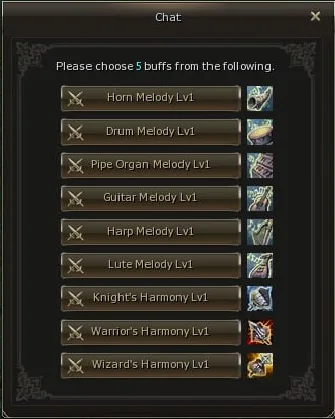
We’ve added skill icons with hover tooltips that display the names and details of each buff. Some of you might recognize this feature from the Olympiad Monument.. aka hero weapons, where it helped prevent players from accidentally picking the wrong one... because, let’s be honest, it happens!
We’ve also included a buff counter, showing how many selections you have left before you can’t choose any more.
L2Wiki
As we’ve been putting a lot of effort into our Lineage 2 Wikipedia, our goal is to make it easier for new players to understand the many changes introduced with Goddess of Destruction and the updates that followed.
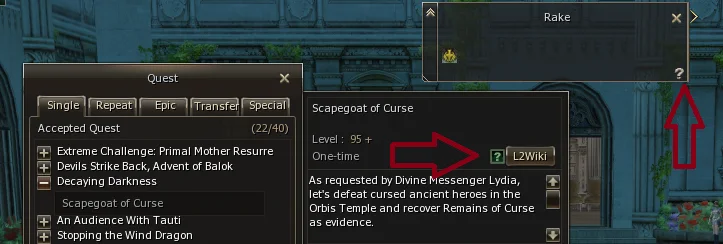
Our game client is now integrated with the L2Wiki, allowing you to seamlessly open related wiki pages directly from within the game. You can access this feature through the Quest Window or the Target Window (NPC) for quick and easy reference.
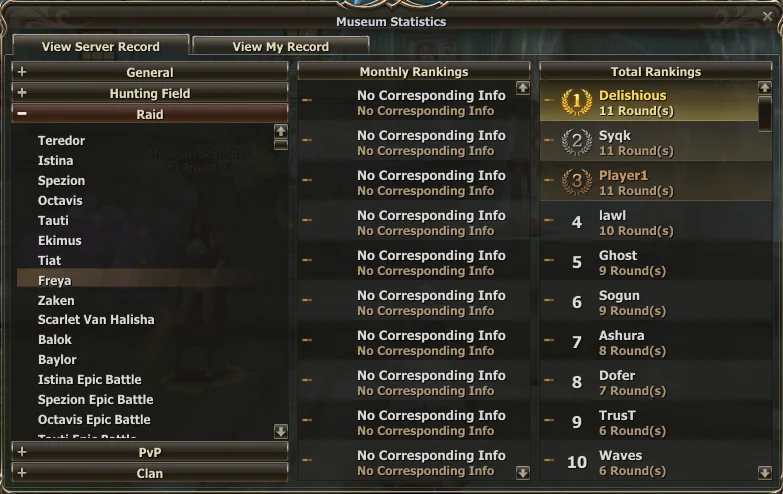
Museum Statistics
Curious about the best hero records on our server?
Visit Arwen in the Town of Aden, she keeps access to all the most important records from the world of Lineage II.
Speak with her to explore the achievements and rankings of heroes across the realm.
If you enjoy this kind of DevBlog content, let us know on Discord! Your feedback helps us shape future updates and improvements for the community.